ConvertET
One-Click Conversion, Secure and Efficient
Product Advantages
Why choose our product?
Local Secure Conversion
ConvertET uses localized processing technology, where all file conversions are completed directly on the user's computer without uploading to the cloud. This effectively prevents sensitive data leakage and ensures the security of personal privacy and business secrets, making it ideal for handling confidential or personal documents.
Comprehensive Format Support
Supports six major categories—data, images, documents, audio, video, and e-books—including popular formats like JSON, CSV, MP4, EPUB, PNG, and MP3, meeting diverse conversion needs in office, creative, and development scenarios.
Simple & User-Friendly
Features a clean and intuitive interface with drag-and-drop operations and one-click batch conversion. No complex learning curve required—even beginners can get started quickly, improving daily work efficiency and lowering the barrier to use.
Efficient Batch Processing
Allows adding multiple files at once for batch conversion. The Professional Edition has no file count limits, significantly boosting processing efficiency, especially suitable for high-intensity tasks such as organizing large volumes of assets or content migration.
Flexible Parameter Adjustment
Offers detailed conversion parameter settings including resolution, bitrate, encoding method, and quality level. Users can fine-tune output results based on actual needs, balancing visual quality and file size.
Smart History Management
Automatically saves complete conversion history, including time, format, quantity, and result statistics, enabling easy review of past operations. Quickly open output directories or clear records—simple and convenient management.
Choose Your Plan
Flexible pricing options to meet different needs
Free Version
Suitable for converting small numbers of files
Pro Edition - 1 Month License
Ideal for short-term bulk file conversion
Pro Edition - 1 Year License
Ideal for long-term bulk file conversion
Core Features
Powerful features, simple operation
Browse Format Conversions
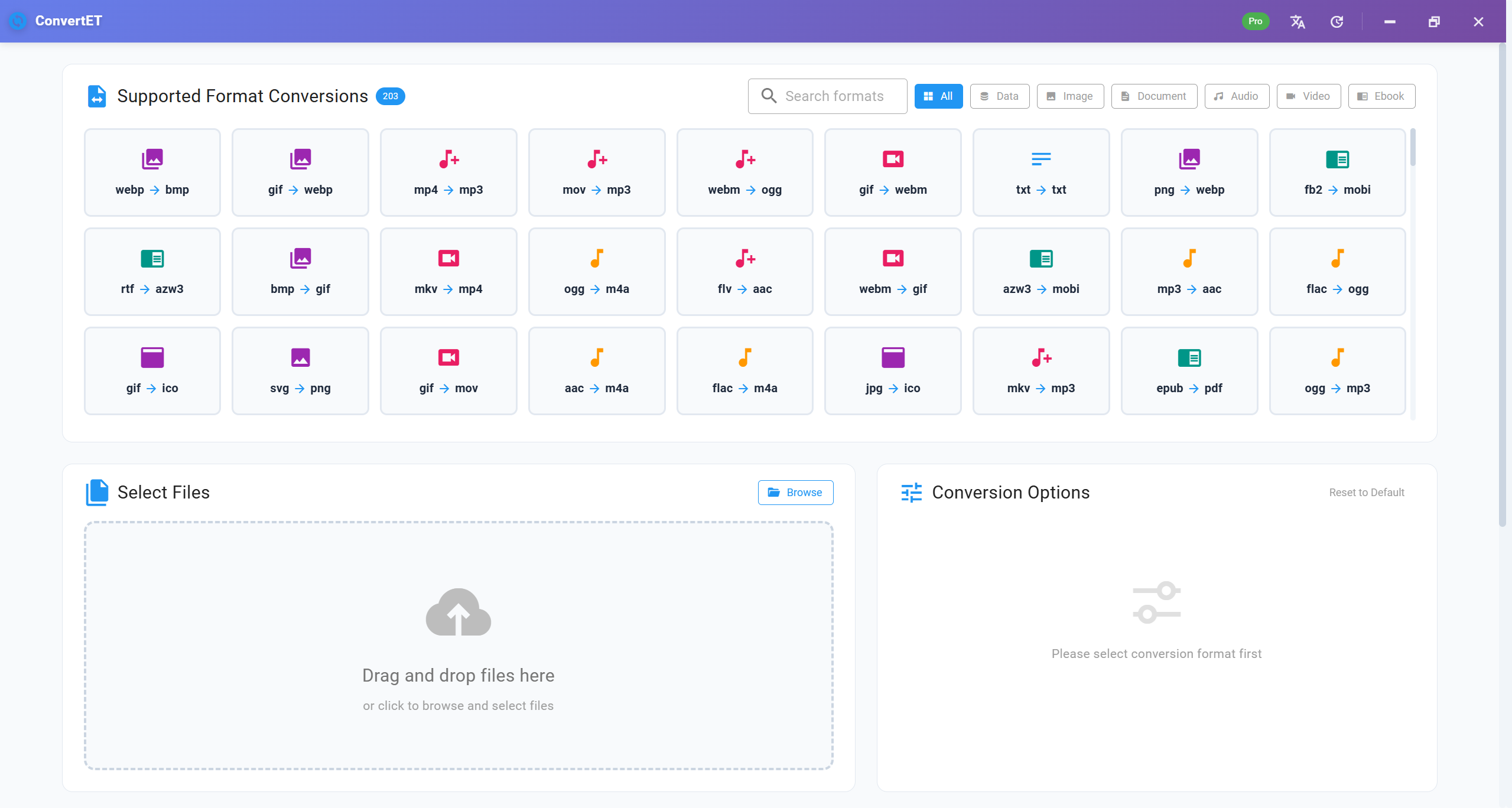
Quickly locate desired conversion types using categorized tags and search functionality. Click cards to set source and target formats. Supports hundreds of combinations across six major categories, greatly simplifying selection and enhancing operational efficiency.
File Selection & Management
Add files via drag-and-drop or by clicking the 'Browse' button. A clear list displays filename, size, and format. Delete individual files or clear all at once, making it easy to manage the conversion queue and improving operational flexibility.
Intelligent Format Recognition
Automatically detects the source format after adding files. Select the target format from a dropdown menu—the system only shows valid conversion paths, preventing incorrect configurations and ensuring smooth, reliable conversion with minimal user error.
Customizable Parameters
Dynamically loads parameter panels based on conversion type, supporting adjustments to quality, resolution, encoding, frame rate, and more. Customize output effects to meet both personalized and professional requirements.
Output Path Setting
Specify output directory paths with support for a one-click folder selection dialog. Ensures converted files are stored in an organized manner, avoiding clutter and improving file organization and retrieval efficiency.
Real-Time Progress Monitoring
Displays real-time progress, completion count, success/failure statistics. Expand to view detailed status. Cancel tasks anytime during conversion—already generated files are preserved, offering strong control over operations.
Use Cases
Suitable for various business needs
Office Automation
Office workers can quickly convert JSON data into CSV tables for analysis in Excel, or transform Markdown documents into HTML web pages for publishing—improving work efficiency and collaboration.
Design Asset Processing
Designers can batch convert SVG vector graphics into common formats like PNG or JPG for presentation, or adjust image dimensions and quality to fit various platform requirements, improving delivery efficiency.
New Media Creation
Content creators can convert video clips into GIF animations for social media sharing, or turn GIFs into MP4 to reduce file size for easier upload—enhancing content expressiveness and reach.
Development Environment Optimization
Developers can standardize text file encodings in projects to UTF-8, resolving issues and ensuring cross-platform compatibility of code and config files, improving team collaboration.
Personal Reading Management
E-book enthusiasts can convert TXT novels into EPUB or MOBI formats, adding layout and cover designs to create personalized reading experiences, perfect for Kindle and other e-readers.
Enterprise Document Governance
Enterprises can batch process various document formats submitted by clients, converting them into standardized formats for archiving. Integrated with APIs for automated workflows, enhancing information integration and management efficiency.
Ready to Get Started?
Purchase ConvertET Now
7-Day No-Reason Refund • Lifetime Free Updates • Conversion Request Support
Get Support
Multiple ways to contact us and get professional technical support
convertet@convertet.online